Bravo University · Course 103
How does Bravo use AI?
And what makes it different from other AAC apps that use AI
AI and AAC
A very natural partnership
LLM
Large Language Model
When people say “AI” today, they mostly mean Large Language Models, or LLMs.

Bravo University · 103 How Bravo Uses AI
2
AI and AAC
How an LLM works
1
Identify
natural patterns in language
2
Understand
how those patterns work
3
Predict
the next likely option
AAC does exactly the same: analyze the pattern, then predict the next option.
Bravo University · 103 How Bravo Uses AI
3
AI and AAC
Two jobs AI can do
Generate options
for the user to select and communicate
Build the boards
creating pages and filling them with options
Bravo University · 103 How Bravo Uses AI
4
AI and AAC
Building a Greetings board
Before AI
1 Search the web for “10 common greetings”
2 Create a new page called Greetings
3 Add the options, one at a time
With AI
1 Tell Bravo the board’s purpose: “Greetings”
AI finds the options, builds the board and adds them for you.
Bravo University · 103 How Bravo Uses AI
5
What makes Bravo different
Four unique AI features
1
Layers of context
in every AI prompt
2
AI prompts in buttons
not just in page building
3
Next options
generated after every selection
4
Wake Word
turns a partner’s words into a prompt
Bravo University · 103 How Bravo Uses AI
6
Feature 1 · Context
What is context?
Context gives the AI prompt more information, so it can generate more nuanced options.
Greetings
Happy Greetings
Christmas Greetings
Bravo University · 103 How Bravo Uses AI
7
Feature 1 · Context
Multiple layers of context
Right now
Mood
Location
People nearby
Activity
Date
Time
About the user
Favorite topics
Least favorite topics
Recent activities
Upcoming activities
Any of these can shape how and what we communicate.
Bravo University · 103 How Bravo Uses AI
8
Feature 1 · Context
Same moment, different mood
Mood: happy
“Good morning!”
Mood: tired
“Not ready for today”
Bravo University · 103 How Bravo Uses AI
9
Feature 1 · Context
Where context comes from
The Admin
enters most of the context
The user
picks their mood when the app starts
Bravo
can improve it over time from what the user selects, if enabled
Bravo University · 103 How Bravo Uses AI
10
Feature 2 · AI prompts in buttons
A button can hold an AI prompt
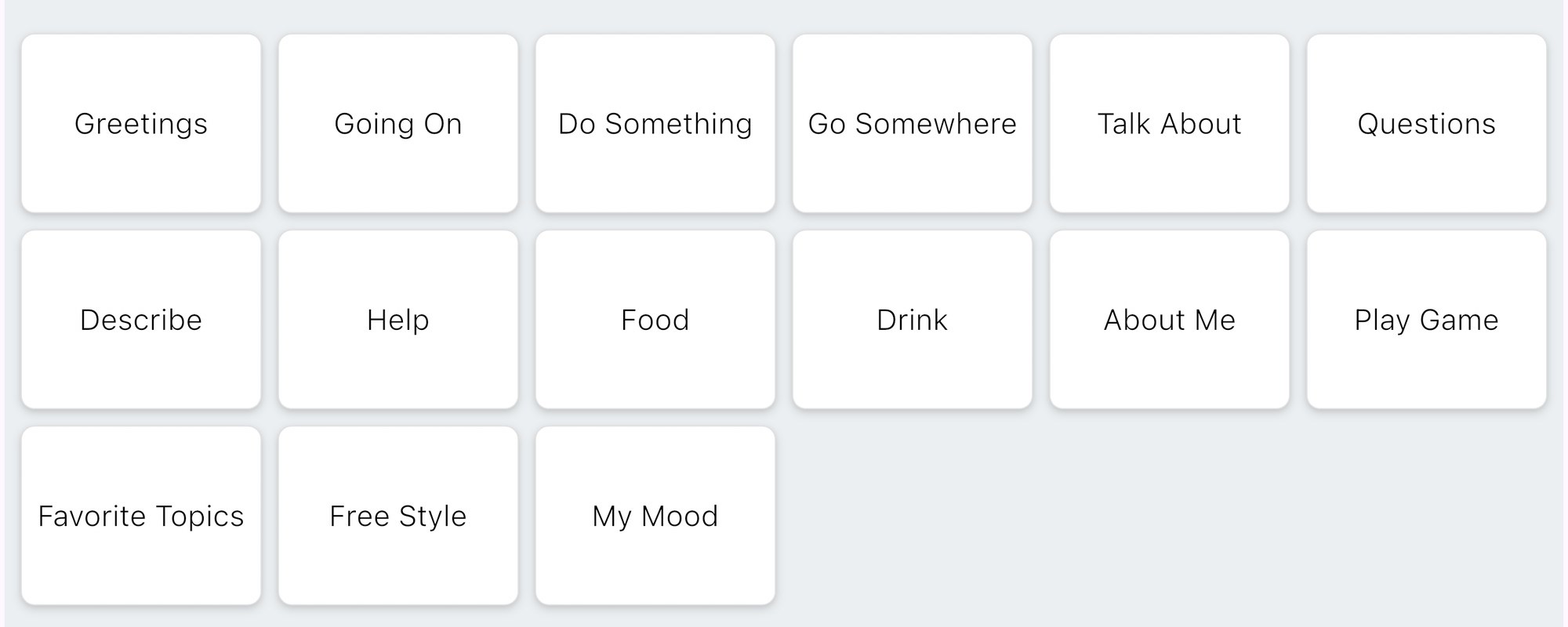
Example prompts on the Scan interface
“Generate greetings based on current location”
“Generate ways to describe something positive”
“Generate jokes”
Bravo University · 103 How Bravo Uses AI
11
Feature 2 · AI prompts in buttons
What happens when it’s selected
1
User selects the button
2
Prompt plus any context goes to the AI
3
AI generates options and builds the page
4
Bravo opens the new page
Bravo University · 103 How Bravo Uses AI
12
Feature 2 · AI prompts in buttons
10
greetings pages for 10 moods
1
button that builds the page for today’s mood
Bravo University · 103 How Bravo Uses AI
13
Feature 3 · Next options · Scan
Scan: phrases that keep it going
User selects
I want to go outside
Bravo can offer
Do you want to go outside too?
A full set of phrases to continue the message and engage the partner.
Bravo University · 103 How Bravo Uses AI
14
Feature 3 · Next options · Tap
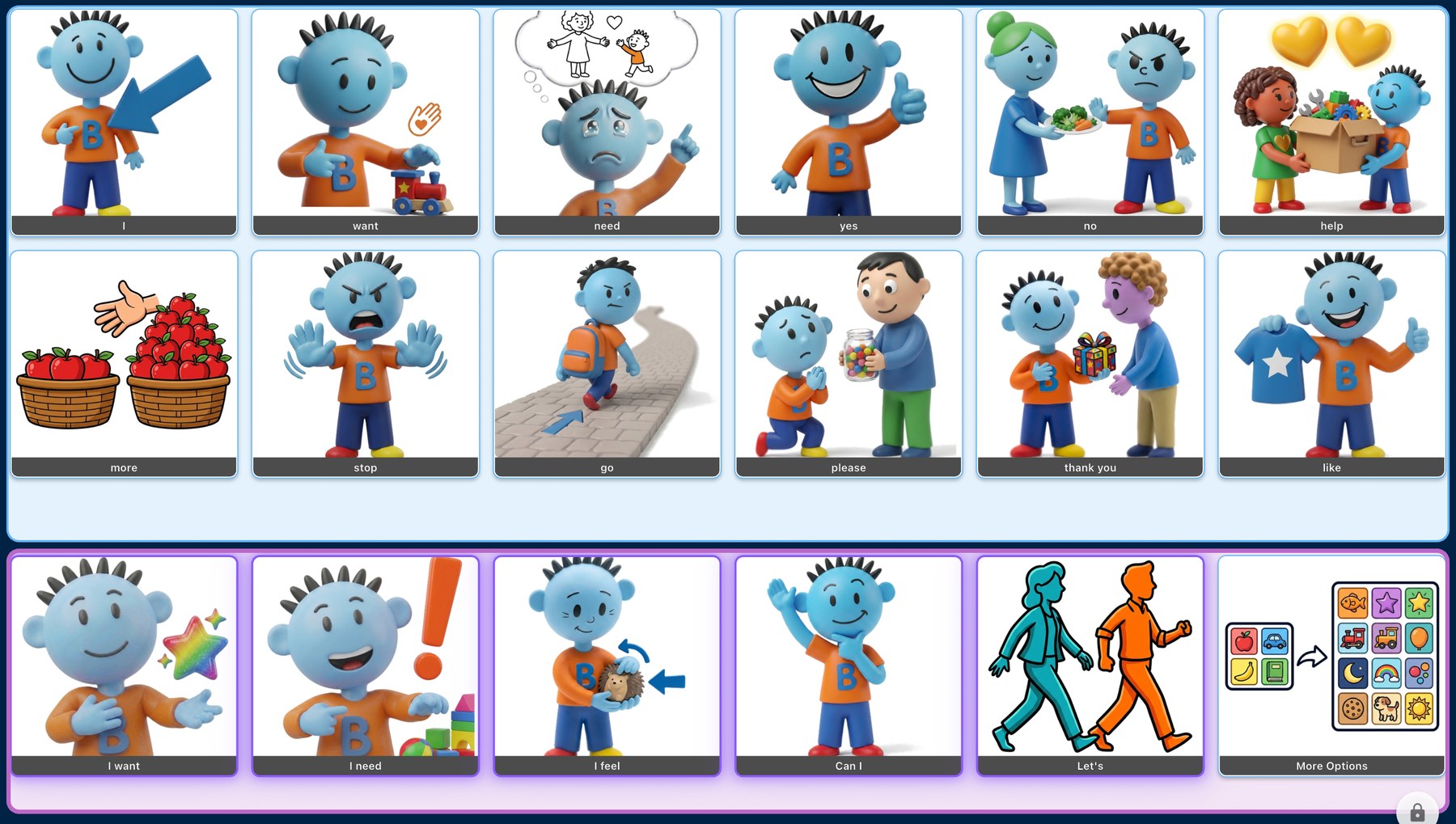
Tap: the next building blocks
want
to go outside
New options appear in the Dynamic row, outlined in purple.
Bravo University · 103 How Bravo Uses AI
15
Feature 4 · Wake Word
AAC’s big challenge: responding
When a partner asks a question in traditional AAC:
Not programmed
A good answer may simply not exist on any board
Yes or no
The question gets boiled down to a simple yes or no
Too slow
The answer exists, but takes time to find
Bravo University · 103 How Bravo Uses AI
16
Feature 4 · Wake Word
Bravo generates the answers
Partner says the Wake Word, then asks or comments
Their words become an AI prompt
Response options appear, ready to choose

The status message shows Bravo is listening
Bravo University · 103 How Bravo Uses AI
17
Recap
How Bravo’s AI is different
Feature
What it does
1 · Layers of context
Mood, location, people, topics and more shape every option
2 · Prompts in buttons
One button builds a fresh page, on demand
3 · Next options
New phrases or building blocks after each selection
4 · Wake Word
A partner’s question becomes response options
All context is optional, and never shared.
Bravo University · 103 How Bravo Uses AI
18