Bravo University · Course 205 · Admin Tools
Translating Boards and Menus
Show the boards in another language

What Translate does
Changes what’s shown, not what’s said
Translate
Changes the words displayed on boards and menus
want
querer
Announcements
Not changed by Translate. Set them in Admin Settings › Language & Voices
Boards are translated automatically when a profile is created in another language. Use Translate later, like after adding a new board.

Bravo University · 205 Translating Boards and Menus
2
Getting in
Opening Translate
1
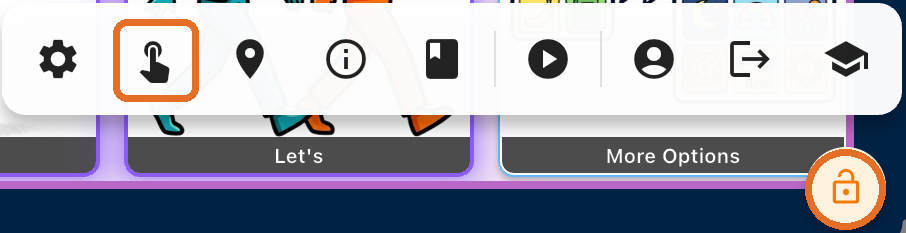
Press and hold the Lock icon
For 3 seconds
2
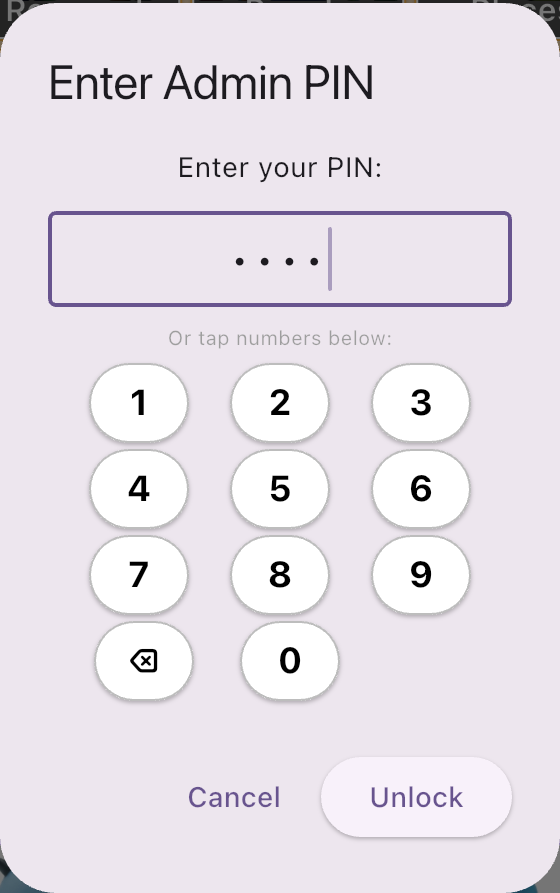
Enter the Admin PIN
3
Tap the Tap Interface Admin icon
The finger tapping the screen
4
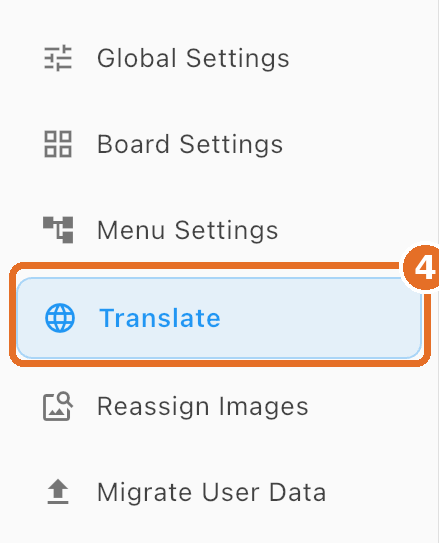
Tap Translate
In the menu on the left
Bravo University · 205 Translating Boards and Menus
3
The Translate screen
Five steps
1
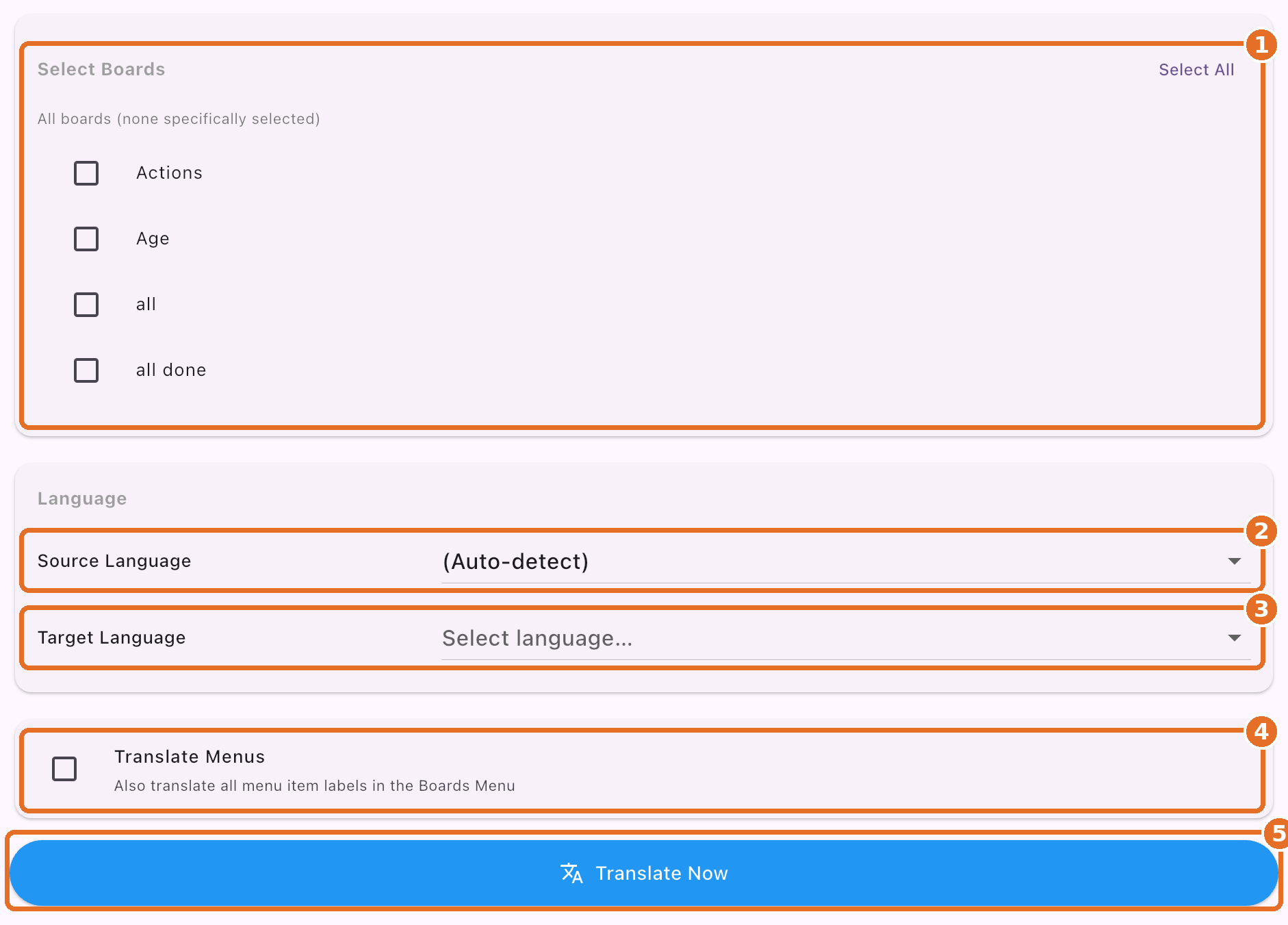
Select Boards
Choose which boards to translate
2
Source Language
The language they’re in now
3
Target Language
The language you want
4
Translate Menus
Optional: menu labels too
5
Translate Now
Runs the translation
Bravo University · 205 Translating Boards and Menus
4
Step 1
Choose the boards
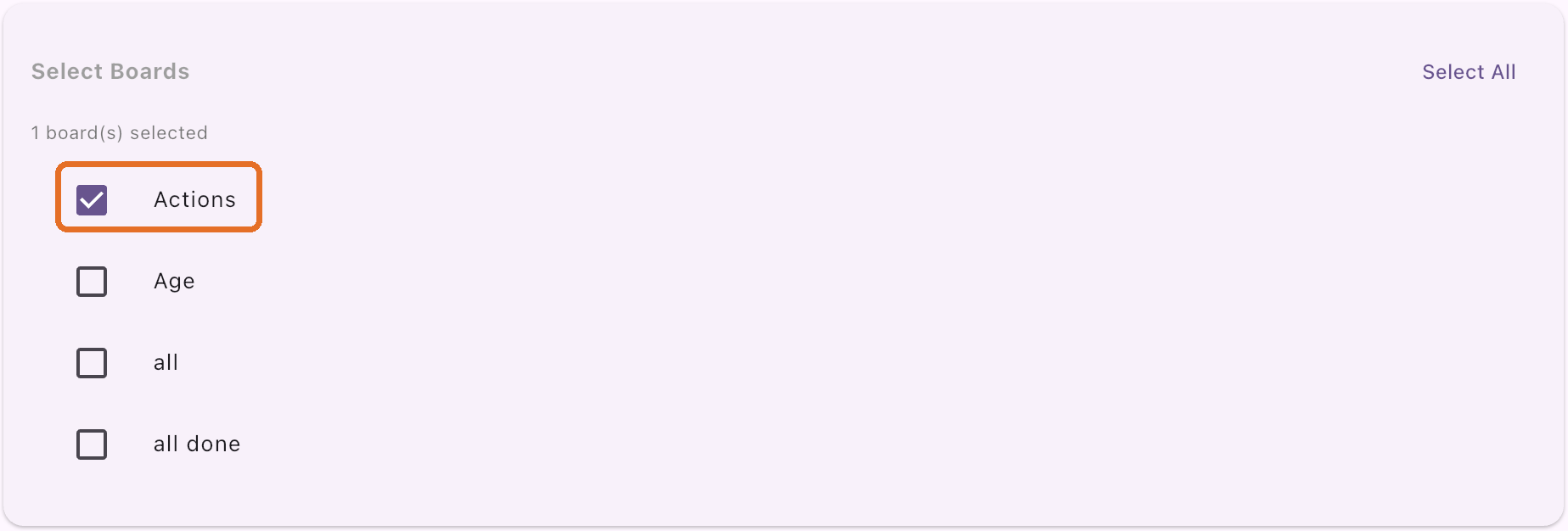
Check each board
Like Actions, here
Select All
Every board at once
None checked?
The screen says all boards are included
Bravo University · 205 Translating Boards and Menus
5
Steps 2 and 3
Pick the languages
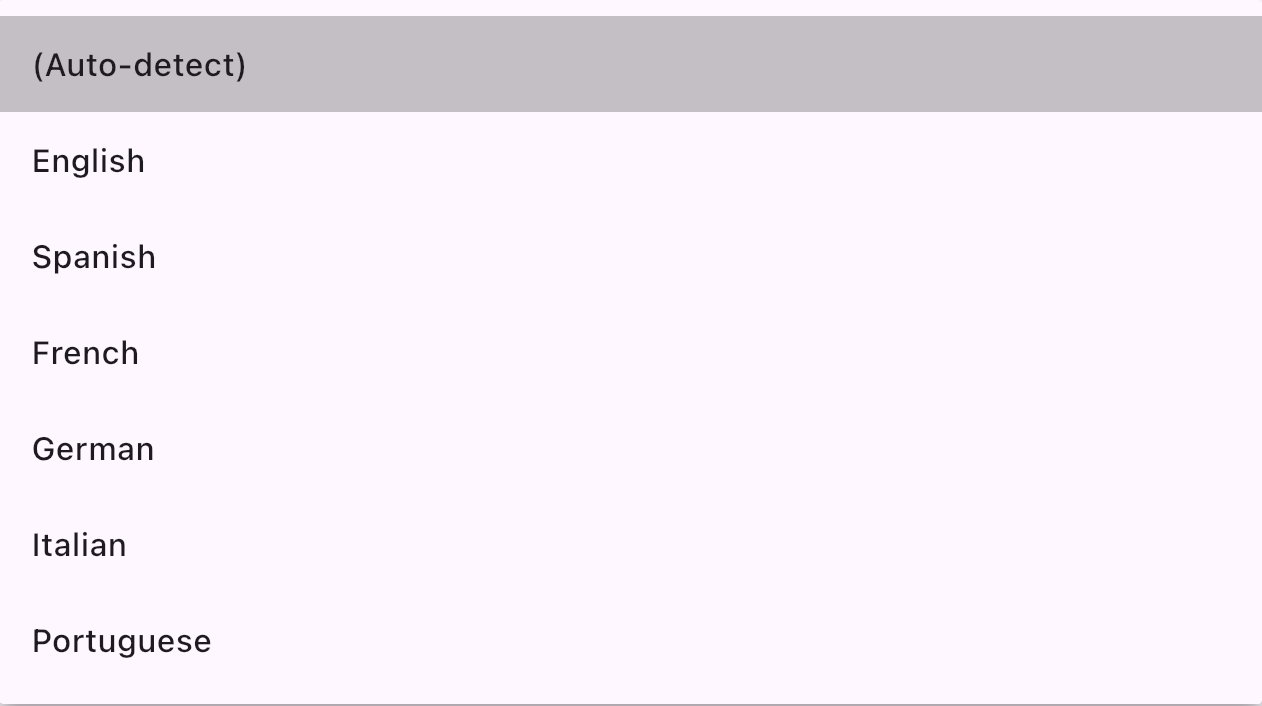
Source: leave on Auto-detect, or pick one
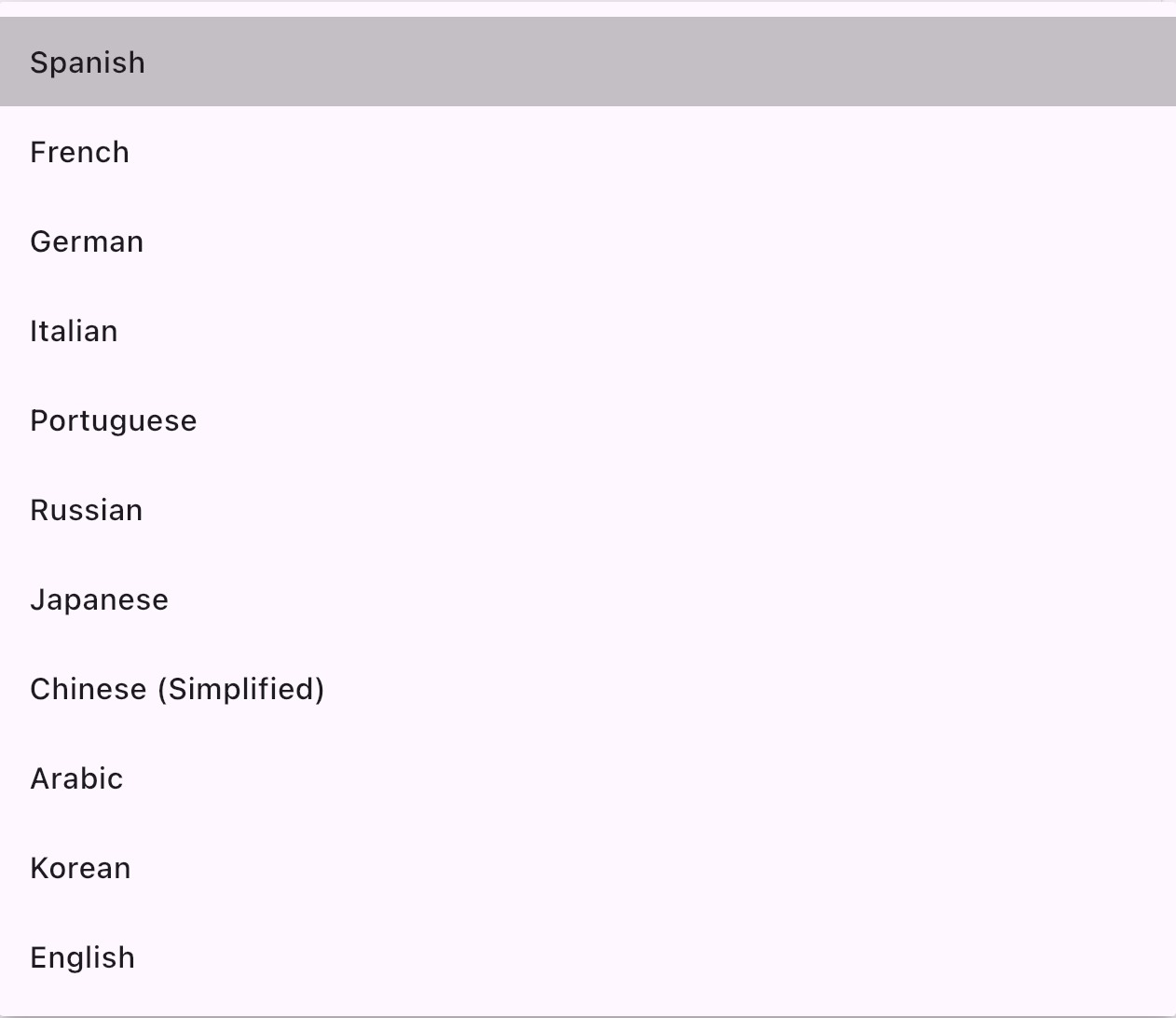
Target: the language you want
Source
The language the boards are in now
Target
The language they’ll be shown in
Bravo University · 205 Translating Boards and Menus
6
Steps 4 and 5
Menus, then Translate Now


Translate Menus
Check it to translate menu labels too
Translate Now
Wait for “Translation complete”
Bravo University · 205 Translating Boards and Menus
7
After translating
Review the results
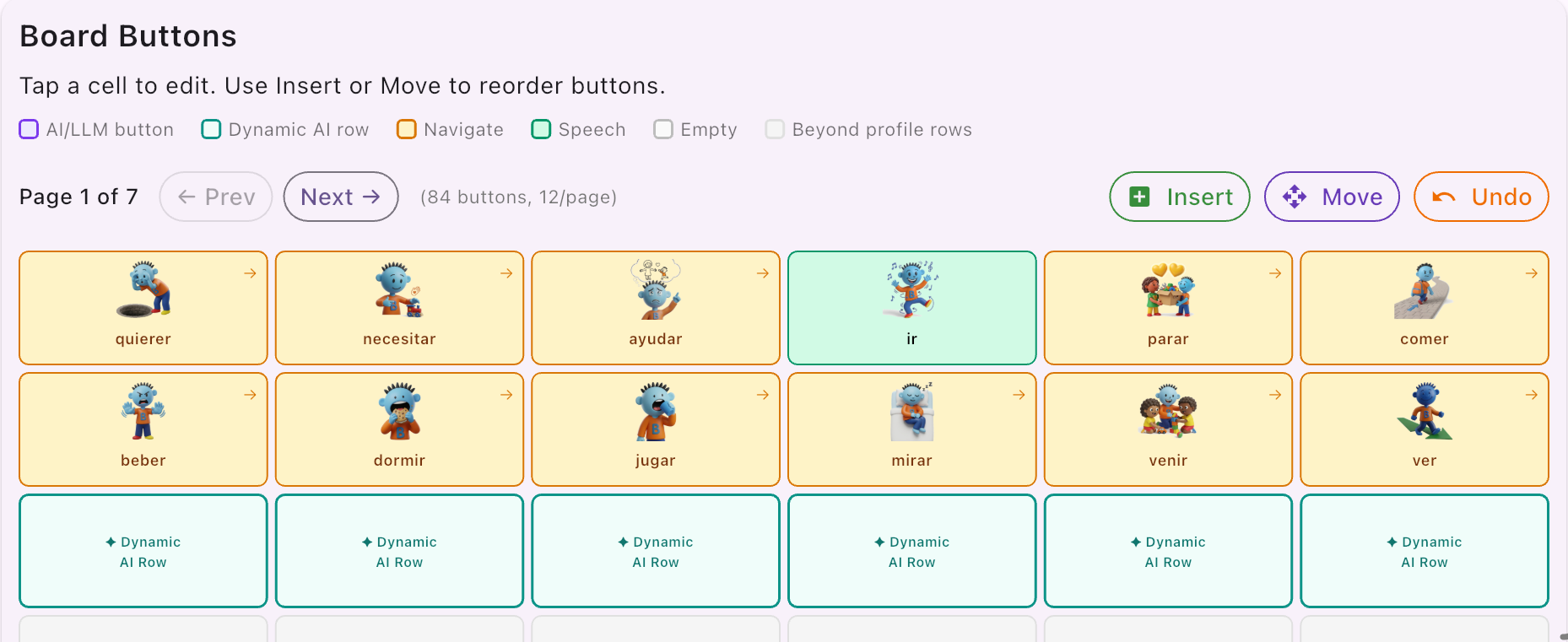
Board Settings
Check every board
Fix any word by editing the button
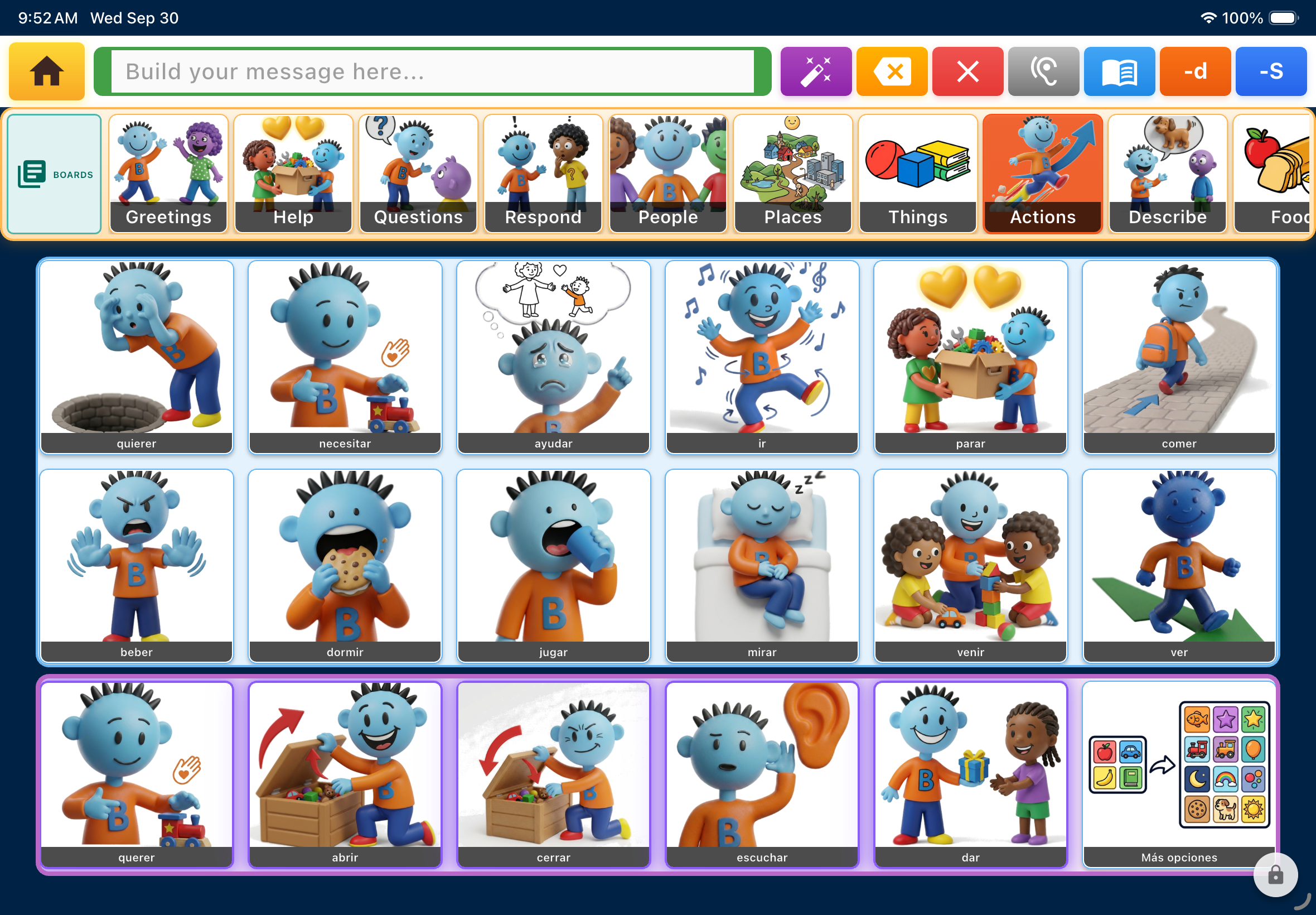
The Tap Interface
Bravo University · 205 Translating Boards and Menus
8
Recap
Translating at a glance
Topic
Remember
Translate
Changes the words on boards and menus
Announcements
Admin Settings › Language & Voices
When
Profile setup does it; use Translate later
Steps
Boards · Source · Target · Menus · Translate Now
After
Review in Board Settings, Menu Settings and Tap
Bravo University · 205 Translating Boards and Menus
9